Changelog February 2026: Fully Functional Mobile Access
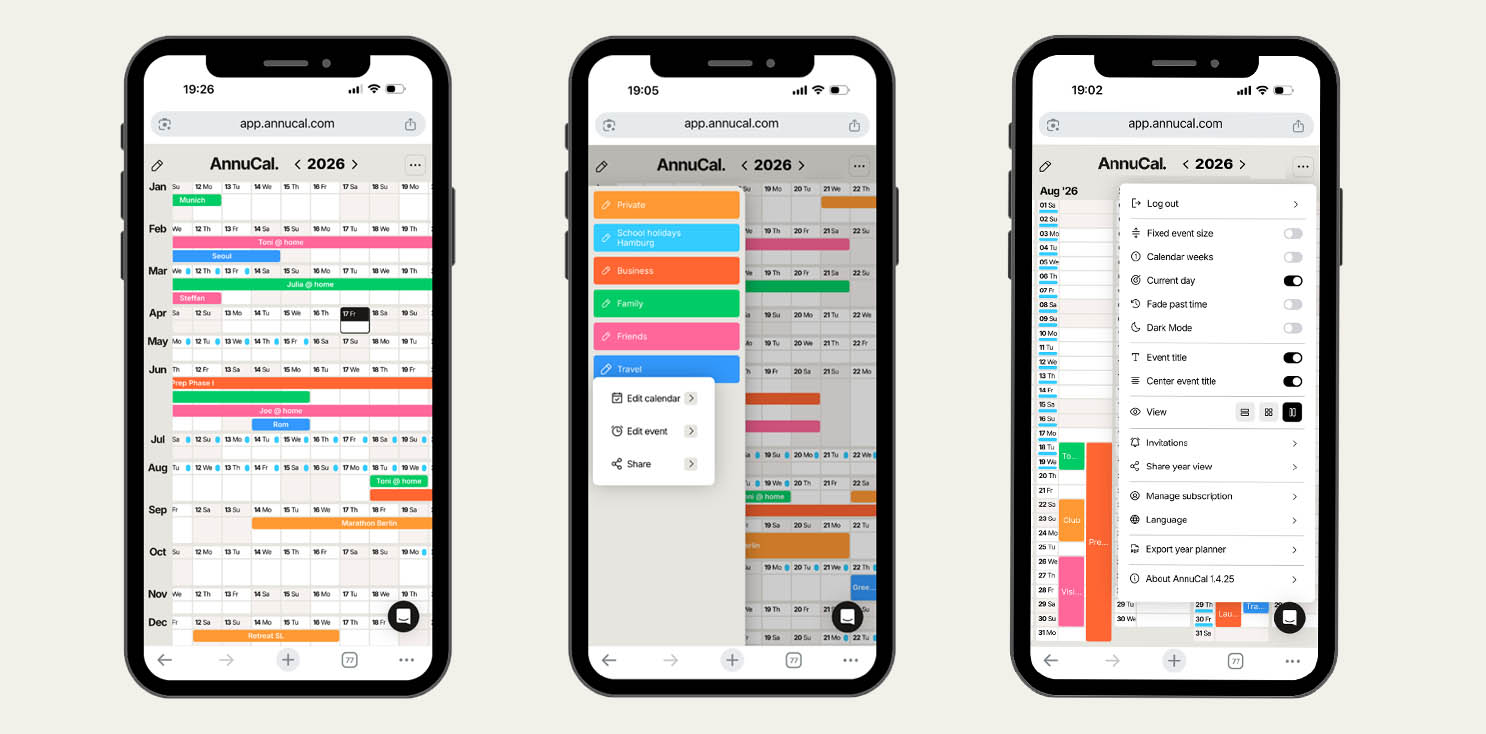
AnnuCal now offers fully functional mobile access with complete feature parity to desktop. Plan your entire year, structure long-term timelines, and use Google Sign-In seamlessly across all devices.
·
Version 1.3.1
What’s New
Fully functional mobile version of AnnuCal
Feature parity with desktop
Optimized layout for smaller screens
Improved responsiveness across devices
Google Sign-In (available since December)
Fully Functional Mobile Access
AnnuCal now works seamlessly across desktop and mobile.
You can:
View and edit your entire yearly timeline
Create, modify, and structure events and categories
Reorder plan tabs
Use shared planning features
Access Dark Mode and custom event colors
Sign in instantly with Google
No limited interface.
No reduced feature set.
Everything you can do on desktop is now available on mobile — with the same clarity and long-term structure.
Google Sign-In
Since December, you can securely access AnnuCal using your Google account.
Faster account creation
Simplified login process
Secure authentication across devices
Google Sign-In works seamlessly on both desktop and mobile - keeping access simple while maintaining full functionality.
What This Means
Time planning is no longer tied to a specific screen size.
You can move between desktop and mobile without friction - your structure, views, and edits stay aligned.
AnnuCal remains a system for long-term thinking - now accessible anywhere.
👉 Try it now: annucal.com