Go Back
Why a Visual Year Planner Beats an Excel Spreadsheet
Spreadsheets weren't built to plan a year. See why a visual year planner is a simpler, calmer Excel alternative, with all 12 months in one clear view.


For planning a whole year, a visual year planner beats an Excel spreadsheet. Spreadsheets chop time into rigid cells and hide the shape of the year. A horizontal year view shows all 12 months as one continuous, editable overview - so patterns, overlaps, and free time are obvious at a glance.
We still plan our year like it's 1998.
For the big things in life - travel, goals, launches, exams, family moments, training seasons, quiet months, busy months - most people still reach for the same tool: an Excel sheet.
Because calendars only show days. Because to-do apps only think in tasks. Because weeks are too small to understand a whole year.
People need perspective. People need rhythm. People need time in shapes, not grids.
And yet we've gotten used to squeezing our lives into spreadsheets - scrolling endlessly, merging cells, dragging colors, trying to make time fit into boxes.
The truth is simple: there has never been a beautiful, intuitive, modern way to plan an entire year at once. This is what we call time-first planning: starting with the year as a whole before breaking life down into days, weeks, or tasks.
That's why we built AnnuCal. A single, calm, horizontal view that finally shows your year the way it actually feels: continuous, structured, connected.
1. What a Horizontal Year View Really Is
Imagine viewing your life and work in one continuous flow, across 12 months:
vacations
family events
travel plans
personal goals
seasons and training blocks
content or marketing cycles
important deadlines
conferences
busy periods vs quiet periods
annual routines
People already do all of this in Excel - but with fragmented grids.
A horizontal year view connects everything:
One track. One year. One clear overview.
No more:
"Scroll right until July." "Which week was that again?" "Why is this bar broken?"
Just a calm, readable overview of the year.
2. Why a Horizontal Year View Beats Excel for Long-Term Planning
2.1 Day-first tools hide what a year actually looks like
Spreadsheets chop time into boxes. The year loses its shape.
Everyone knows these Excel frustrations:
dates must be entered manually
months don't align neatly
colors break when you edit
bars shift when you resize rows
zooming makes everything unreadable
holidays, travel and events get lost
People don't want more cells - they want a visual flow of time. That's where AnnuCal shines.
2.2 You immediately see patterns and conflicts
The horizontal layout reveals at a glance:
overloaded months
empty recovery periods
overlapping trips
travel right before deadlines
seasonal peaks
conference clusters
unrealistic personal schedules
Excel hides these in grids. AnnuCal shows them instantly.
2.3 Perfect for long-term planning (not task planning)
Most planning happens at the month or multi-month level, not daily:
vacations → 1-3 weeks
fitness cycles → months
content strategy → quarters
product cycles → seasons
school, academic, or family calendars → full years
Monthly calendars break these into disconnected squares. Spreadsheets are chaotic. AnnuCal unifies them into a single bar across time - simple, natural, intuitive.
2.4 Editing is finally effortless
Changing a year plan in Excel often breaks it:
moving one bar shifts everything
formatting collapses
merged cells misalign
colors disappear
formulas crash
In AnnuCal:
drag & drop
resize blocks
recolor events
add context (notes, icons)
switch between three different views (more on that below)
You edit the plan, not the spreadsheet.
3. Why Most Tools Don't Offer a Horizontal Year View
Because it's objectively difficult to build.
A true 12-month horizontal view needs:
correct day scaling
month boundary logic
smooth dragging
readable event stacking
consistent proportions
year-wide performance
Most companies avoid building a year view entirely. AnnuCal was designed for it from day one.
4. How to Use AnnuCal's Horizontal Year View Effectively
4.1 Start with the major blocks
Add:
vacations
travel windows
launches
seasonal work cycles
content periods
training seasons
academic terms
This reveals the structure of your year. If you'd rather not start from a blank year, you can begin from a ready-made template and adapt it.
4.2 Add milestones and dates later
Once the big shapes exist, add:
deadlines
exams
goals
quarterly intentions
conferences
birthdays & anniversaries
The combination makes the year understandable in seconds.
4.3 Add your personal time and routines
Your year becomes real when you include:
personal time
family events
planned rest periods
recovery weeks
focused work blocks
You can also block out busy periods and share your year, so the people around you can see when you're free - without anyone editing your plan. This makes AnnuCal a true life + work planner.
4.4 Switch between three views
A spreadsheet gives you one rigid grid. AnnuCal gives you three ways to see the same year:
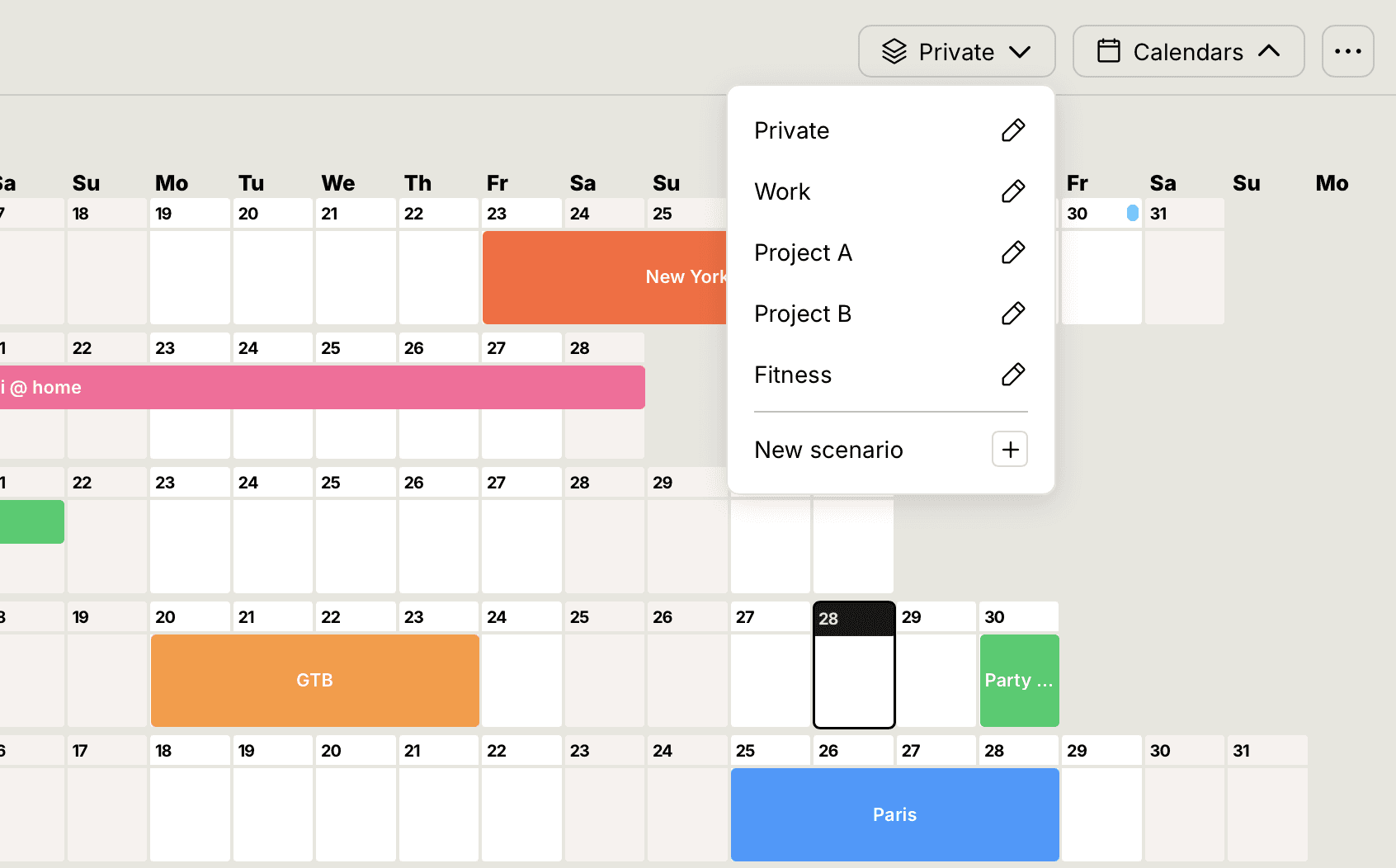
Linear view - the continuous horizontal year, for structure
Vertical view - a compact, top-to-bottom layout, for detail
Weekend view - weekends brought to the foreground, for planning around the rhythm of your weeks
You move between them seamlessly.
5. What Makes AnnuCal's Year View Unique
Not a project or Gantt tool - it's the clearest way to plan your year
Designed specifically for long-term, multi-month planning
Works for every life domain: travel, training, families, creators, founders, academics
A genuine Excel replacement for yearly overviews
Drag, drop, resize - no spreadsheet headaches
Visual, modern, calm, readable
Aligns with how humans understand time: left → right
6. Conclusion: The End of Year Planning in Spreadsheets
Excel is great for numbers. But not for planning your year.
The future of year planning is:
visual
intuitive
drag-and-drop
multi-month
calm
personal + professional
AnnuCal brings clarity to the entire year - something Excel simply wasn't built to do.
Try time-first year planning with AnnuCal and see your entire year clearly - before the first day even begins.
Frequently Asked Questions
Is there a better way to plan a year than Excel? Yes. A visual year planner shows all 12 months as one continuous, editable view, so you see the shape of your year instead of scrolling through a grid of cells. It's faster to set up and far easier to read than a spreadsheet built for numbers.
Why is Excel not ideal for year planning? Spreadsheets chop time into boxes, so the year loses its shape. Dates are entered manually, months don't align neatly, colors and bars break when you edit, and overlaps stay hidden. Excel is built for numbers, not for seeing time.
Can I use AnnuCal for project or task management? AnnuCal is built for planning your year - the big blocks, phases, and periods across 12 months - not for detailed task or project management with dependencies. For a long-term, multi-month overview it replaces a spreadsheet; for day-to-day task tracking, it isn't designed to.
What's the difference between a spreadsheet and a visual year planner? A spreadsheet stores data in fixed cells and shows one rigid grid. A visual year planner shows time itself - phases and periods as blocks across the year - so patterns, overlaps, and free space are obvious at a glance.
Does AnnuCal have different views? Yes. AnnuCal offers three views of the same year: a linear horizontal view for structure, a vertical view for compact detail, and a weekend view that brings weekends to the foreground. A spreadsheet gives you only one layout.
👉 Plan your year without the spreadsheet - start with AnnuCal.