Year plan · Scenario · Pro
Founder & Creator Year Planner
Content batches, launches, taxes and time off - plus a course launch and a talk as projects on the Timeline.
- Content
- Launches
- Revenue & Taxes
- Personal
- Travel
5 calendars · 28 example entries
Opens the template in the app - everything works, nothing is saved. Sign up when you want to keep it.

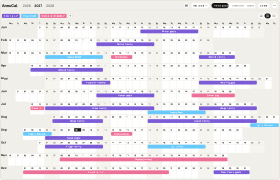
The template as it arrives in your account: 5 calendars, 28 example entries, every one of them editable.Swipe sideways through the year. The template as it arrives in your account: 5 calendars, 28 example entries, every one of them editable.
What’s inside
The calendars and their example entries
Content
- Content Strategy Week 4-8 Jan
- Q1 Content Batch 11-22 Jan
- Newsletter Relaunch 1-12 Mar
- Summer Content Batch 14-25 Jun
- Q4 Content Batch 4-15 Oct
- Year in Review Content 6-17 Dec
Launches
- Early-Bird Campaign 1-12 Feb
- Product Launch 1.0 16 Feb
- Summer Launch 2.0 22 Jun
- Black Friday Launch 22-26 Nov
Revenue & Taxes
- Revenue Goals for the Year 5 Jan
- Quarterly Taxes 15 Apr
- Tax Return Filed 14 May
- Quarterly Taxes 15 Jun
- Mid-Year Revenue Review 12 Jul
- Pricing Review 24 Aug
- Quarterly Taxes 15 Sep
- Year-End Books 20-22 Dec
Personal
- Winter Reset 1-3 Jan
- Offline Weekend 15-16 May
- Digital Detox Week 9-15 Aug
- Offline Weekend 16-17 Oct
- Holiday Season Break 23-31 Dec
Travel
- Winter Workation 20-28 Feb
- Conference Trip 19-22 May
- Summer Vacation 24 Jul - 8 Aug
- Creator Meetup Trip 23-26 Sep
- Autumn City Break 5-8 Nov
Why this template
Why use this planner?
For founders and creators whose launches, content and time off have to share one year.
Try it in the demoA one-person business runs on a few intense weeks a year: the batch before a launch, the sales window, the recording weeks for a course. Everything else - taxes, reviews, the talk you said yes to - is a date you must not miss. The Founder & Creator Year Planner lays the weeks and the dates next to your time off, so you see in January where the year is already full and where a launch would collide with a vacation.
- Five calendars: content, launches, revenue and taxes, personal, travel
- Focused weeks as bars, deadlines as days - the quarterly taxes are already in
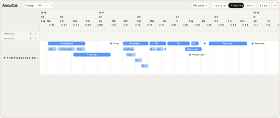
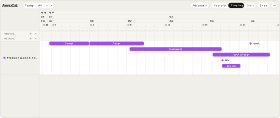
- Two projects on the Timeline: a course launch with recording weeks and early-bird week, a conference talk from proposal to stage
- Move the cohort kickoff or the talk day - every phase follows
- Workations and offline weekends sit next to the launches, not in the gaps
How it works
From template to your year in three steps
A blank year is the hardest part of planning. Starting from a proven structure - and adjusting it - is faster and easier than building from scratch. Pick the closest template, make it yours, and keep planning.
-
Step 1
Try it in the demo
Open any template in the demo and look around - no account needed.
-
Step 2
Add it to your account
Sign up and the template is yours. Every account starts with 30 days of Pro, so Pro templates work from day one.
-
Step 3
Make it your own
Rename, recolour, move, add and remove - everything stays editable.
What is the Founder & Creator Year Planner?
A ready-made AnnuCal template for a one-person business: five calendars for content, launches, revenue and taxes, personal time and travel, plus two projects on the Timeline - a course launch and a conference talk. You add it to your account and replace the example year with yours.
Why are content batches bars but taxes single days?
Because that is how the year feels. A batch week or a sales window takes every day of it; a tax payment, a review or a filed return is one date. Keeping the two apart is what makes the year readable - the bars show when you are busy, the days show what you must not forget.
What do the two projects show?
The course launch runs from the outline week in July over recording weeks and the landing page to the early-bird week and the cohort kickoff in September; the talk runs from the proposal in January to the stage in May. Both hang on one date - kickoff and talk day - and move with it.
I don’t sell courses or give talks. Is it still for me?
Yes. Rename the projects to your own launches - a book, an app version, a shop opening - and the calendars to your channels. The structure stays: intense weeks, fixed dates, and the time off that has to survive both.
Is this template free?
This template uses five calendars and is part of Pro. Every new account starts with 30 days of Pro, so you can add it right away; after the trial, Pro is €99 a year or €12.90 a month. On Free you can still try it in the demo.
Can I customize the template?
Yes. After you add the template to your account, you can freely change its dates, colours, calendars and entries.
More templates
Three more worth a look
Start with this template.
Open it in the demo, change what you like - and keep it when you sign up. No card needed.