Templates · Year planner
Year Plan Templates: A Ready-Made Year on One Screen
Each of these templates loads as its own year plan: calendars with example entries, the whole year on one screen - vacations, family, goals, a season, a founder’s year, rental bookings. Try it in the demo, add it to your account and make it yours.
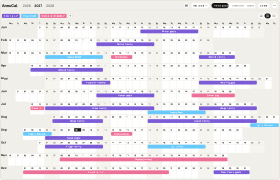
Rental Availability Calendar
FreeBookings, inquiries, owner stays and blocked dates for one or more rentals - free weeks at a glance.
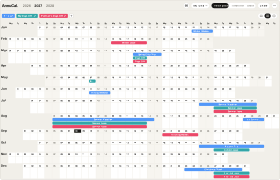
Vacation & Time-Off Planner
FreeTrips, your days off and your partner’s on one screen - see in January where the year lines up.
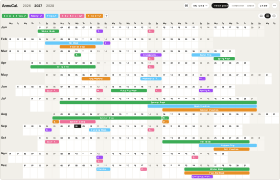
Family Year Planner
ProSchool breaks, trips, the kids’ seasons and your days off - plus the garden and the club fair as projects.
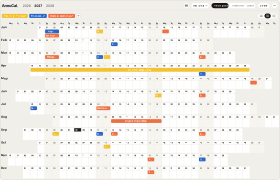
Year Goal Planner
FreeHealth, money and learning goals on the days they are due - with a check-in every quarter.
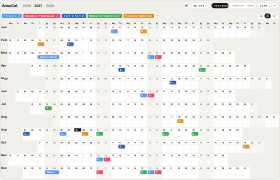
Ensemble Season Planner
ProRehearsals, concerts, board and deadlines for a choir or orchestra - plus the Christmas concert as a project.
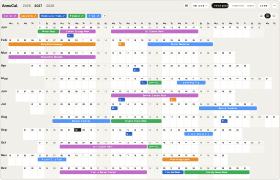
Founder & Creator Year Planner
ProContent batches, launches, taxes and time off - plus a course launch and a talk as projects on the Timeline.
How it works
From template to your year in three steps
A blank year is the hardest part of planning. Starting from a proven structure - and adjusting it - is faster and easier than building from scratch. Pick the closest template, make it yours, and keep planning.
-
Step 1
Try it in the demo
Open any template in the demo and look around - no account needed.
-
Step 2
Add it to your account
Sign up and the template is yours. Every account starts with 30 days of Pro, so Pro templates work from day one.
-
Step 3
Make it your own
Rename, recolour, move, add and remove - everything stays editable.
What is a year planning template?
A year planning template is a ready-made yearly plan with a proven structure already in place. You add it to your account and customize it to your own year - so you start from a draft instead of a blank calendar.
Are the templates free?
Templates marked Free are free to add and use. Templates marked Pro are part of Pro - every new account starts with 30 days of Pro, so you can open and use them right away.
Can I customize a template after adding it?
Yes. Once a template is in your account, everything is editable - rename, recolor, move, add, and remove freely.
Do I need an account to use a template?
You can try any template in the demo without an account. To add and customize one, you sign in to AnnuCal.
How do I use a template?
Try it in the demo, add it to your account, then adjust the events, colors, and calendars to match your year.
Nothing fits exactly?
Every template is only a starting point. Open it in the demo, change what you like - or start from a blank year and build your own structure.