Timeline · Project · Pro
Thesis Timeline
Proposal, research, writing, revision and printing - six months to the due date as one project.
- Proposal
- Research and reading
- Writing
- First draft
- Revision and layout
- Printing and binding
- Submission
5 phases · 2 milestones · 181 days
Opens the template in the app - everything works, nothing is saved. Sign up when you want to keep it.

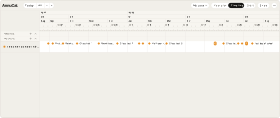
The Thesis Timeline as it arrives on your Timeline - here with the due date on 30 September 2027. Loading it adds only this project - your own calendars stay as they are. After loading, the app sets zoom and window to the span of the project.Swipe sideways through the project. The Thesis Timeline as it arrives on your Timeline - here with the due date on 30 September 2027. Loading it adds only this project - your own calendars stay as they are.
What’s inside
The phases and milestones
The template loads with exactly these dates.
- Proposal3 April - 2 May 2027
- Research and reading3 May - 1 July 2027
- Writing2 July - 8 September 2027
- First draft9 September 2027
- Revision and layout9-26 September 2027
- Printing and binding27-29 September 2027
- Submission30 September 2027
Load the template with these dates
Why this template
Why use this planner?
For students writing a bachelor’s or master’s thesis - and for anyone with a long piece of work and one hard deadline.
Try it in the demoThe due date is the only date that is certain, so this template counts everything back from it: a month for the proposal, two months of research and reading, ten weeks of writing, the first draft three weeks before the end, revision and layout, three days for printing and binding. Set the due date, and you see what each week has to deliver - next to lectures, work and holidays.
- Five phases and two milestones, counted back from the due date
- Writing gets ten weeks and ends three weeks before the deadline - time for revision
- Printing and binding are planned, not improvised on the last day
- Move the due date, and every phase follows
- Lectures, work and holidays run above it on the Timeline
How it works
From template to your year in three steps
A blank year is the hardest part of planning. Starting from a proven structure - and adjusting it - is faster and easier than building from scratch. Pick the closest template, make it yours, and keep planning.
-
Step 1
Try it in the demo
Open any template in the demo and look around - no account needed.
-
Step 2
Add it to your account
Sign up and the template is yours. Every account starts with 30 days of Pro, so Pro templates work from day one.
-
Step 3
Make it your own
Rename, recolour, move, add and remove - everything stays editable.
What is the Thesis Timeline?
The Thesis Timeline is a ready-made AnnuCal timeline template: one project with five phases and two milestones, from the proposal to submission, counted back from the due date. Load it, and adjust the phases to your subject and your time.
I have less than six months. Does it still work?
Yes. Load it with your due date, then shorten the phases - research and writing first. The order and the three weeks for revision are worth keeping.
Can I use it for a dissertation or a longer project?
Yes. Stretch the phases to the years you have and add milestones for chapters, meetings with your supervisor or submissions in between. The structure scales.
Does it show my semester next to the thesis?
Yes. Your lectures, exams, work and holidays are calendars in your year, and they run above the project on the Timeline - so an exam week in the middle of writing is visible early.
Is this template free?
This template is a project on the Timeline, and projects are part of Pro. Every new account starts with 30 days of Pro, so you can load it right away; after the trial, Pro is €99 a year or €12.90 a month. On Free you can still try it in the demo.
Can I customize the template?
Yes. After loading, every phase and milestone is yours to move, rename, add to or delete - and you change the project’s name and colour in its panel.
More templates
Three more worth a look
Start with this template.
Open it in the demo, pick your date - and keep it as a project when you sign up. No card needed.