Templates · Timeline
Timeline Templates: Projects with Phases and Milestones
Each of these templates loads as a project on the Timeline: phases and milestones counted from one date you pick - the departure, the first day of shooting, the launch. Change the date and everything moves with it; your own calendars run above the project.
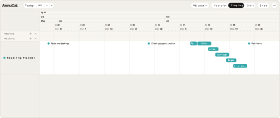
Road Trip Planner
ProSix weeks of preparation, then five stops overlapping on changeover days - the whole trip as one project.
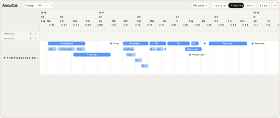
Film Production Schedule
ProFrom development to premiere: financing, prep, shoot, post and festivals - a whole film as one project.
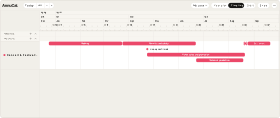
Concert & Festival Timeline
ProBooking, permits, tickets, set-up, the day and settlement - eight months of event planning as one project.
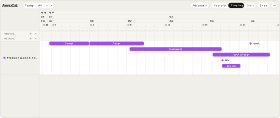
Product Launch Timeline
ProConcept, design, development, beta and the launch campaign - five months of a product launch as one project.
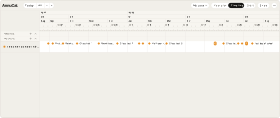
Teacher School Year Planner
ProFirst day, parents’ evening, class tests, reports and the class trip - a school year as one project.
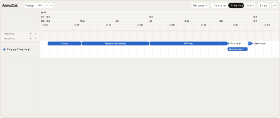
Thesis Timeline
ProProposal, research, writing, revision and printing - six months to the due date as one project.
How it works
From template to your year in three steps
A blank year is the hardest part of planning. Starting from a proven structure - and adjusting it - is faster and easier than building from scratch. Pick the closest template, make it yours, and keep planning.
-
Step 1
Try it in the demo
Open any template in the demo and look around - no account needed.
-
Step 2
Add it to your account
Sign up and the template is yours. Every account starts with 30 days of Pro, so Pro templates work from day one.
-
Step 3
Make it your own
Rename, recolour, move, add and remove - everything stays editable.
What is a year planning template?
A year planning template is a ready-made yearly plan with a proven structure already in place. You add it to your account and customize it to your own year - so you start from a draft instead of a blank calendar.
Are the templates free?
Templates marked Free are free to add and use. Templates marked Pro are part of Pro - every new account starts with 30 days of Pro, so you can open and use them right away.
Can I customize a template after adding it?
Yes. Once a template is in your account, everything is editable - rename, recolor, move, add, and remove freely.
Do I need an account to use a template?
You can try any template in the demo without an account. To add and customize one, you sign in to AnnuCal.
How do I use a template?
Try it in the demo, add it to your account, then adjust the events, colors, and calendars to match your year.
Nothing fits exactly?
Every template is only a starting point. Open it in the demo, change what you like - or start from a blank year and build your own structure.