The Year as a Ring: What Orbit Shows You
Orbit shows the year as a ring: life, work and projects on concentric rings, last year underneath. See what returns every year and plan the new one around it.
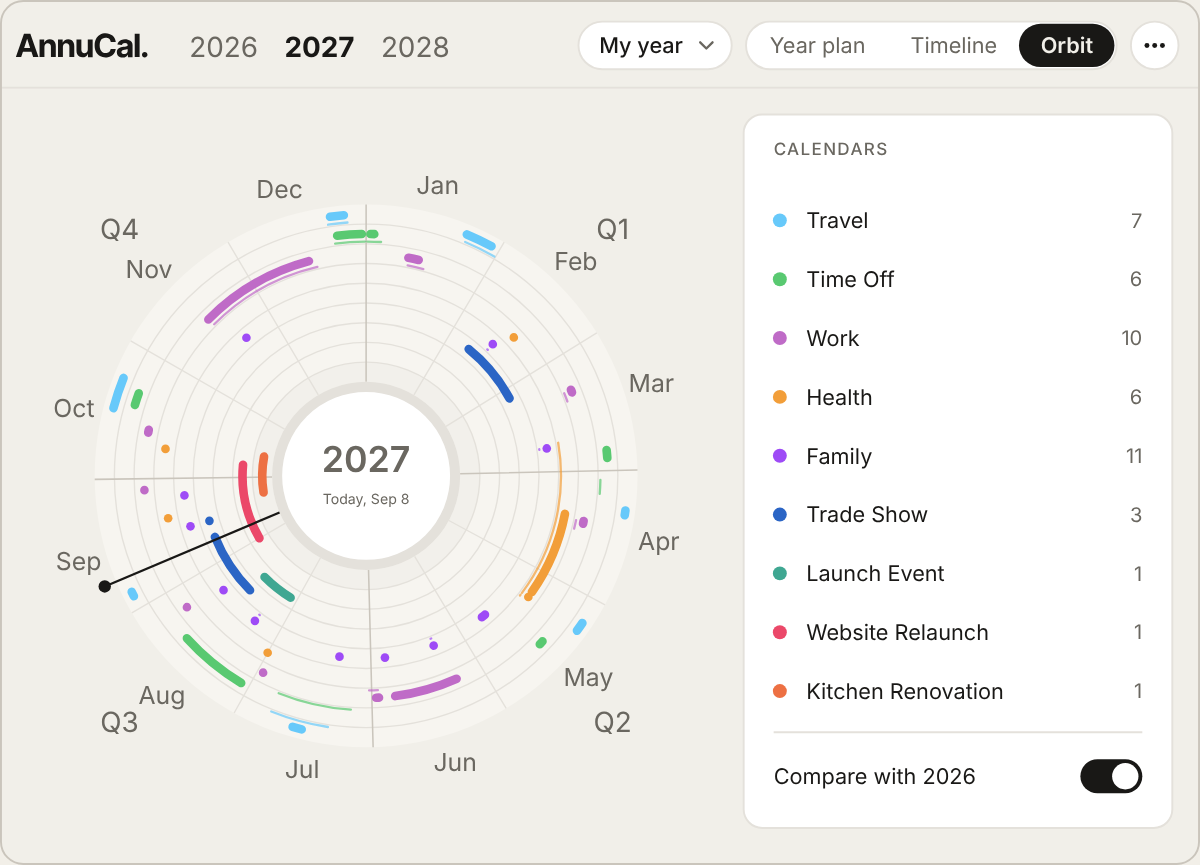
Orbit is a view of the year as a ring: January at the top, the months running clockwise, the year closing back into itself. Your calendars and projects lie on concentric rings, and last year can be switched on underneath - so the clusters that line up are the things that return every year. A list or a grid shows a year as a line with a start and an end. A ring shows it as what it is for most of us: a cycle, with a rhythm that repeats.
This article explains what Orbit shows, why a ring reveals things a grid hides, and how to use it when you plan the next year.
What Orbit shows
The ring is the year. Twelve months around it, January at twelve o’clock, December closing the circle back to January. Each of your calendars is a concentric ring - private life, work, projects - and every entry is an arc over the days it covers, in the colour of its calendar. A two-week trip is an arc of two weeks; a season of rehearsals is a long arc with a point where the concert is. Click a month, and the ring zooms in on it.
Switch on last year, and it appears as a ring underneath this one, in the same orientation. Now the picture changes: where arcs line up - last April and this April, both Decembers - something has returned. Where they do not, something was new, or is missing.
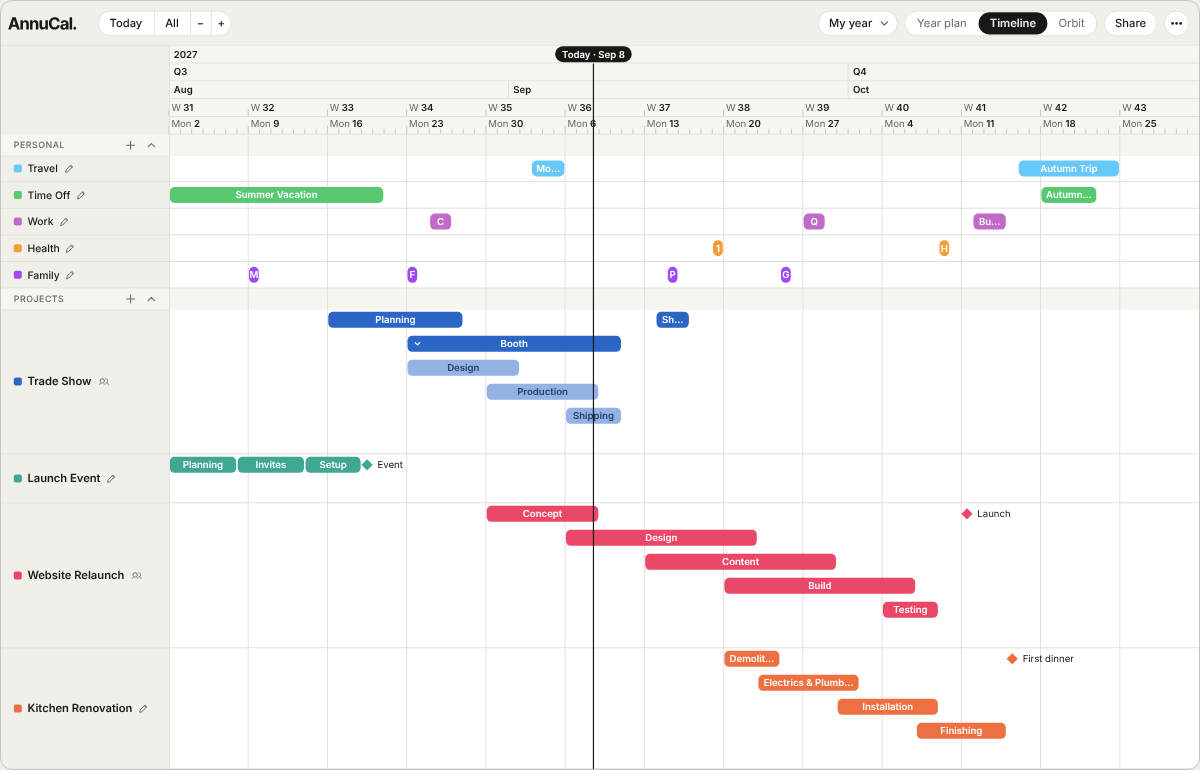
It is the same data as your year plan and your Timeline. Orbit is not another place to enter things; it is another way of looking at what you already have.
Why a ring shows what a grid hides
Most years rhyme. The trade fair in April, the summer break, the busy weeks before Christmas, the quiet in January, the season that starts in September. In a grid these are twelve separate rows, and you have to remember that the row for April looked the same last year. On a ring the shape of the year is one shape, and two years lie on top of each other - the rhythm is visible at a glance, not reconstructed from memory.
That is useful for a plain reason: the things that come back are the things you can plan around before they arrive. The busy season is not a surprise if its arc from last year is already on the ring. The gap for a holiday is easier to find when you can see where last year’s holiday sat and whether that worked.
Orbit is the view that takes Time-First Planning to its end: not only spans of time instead of days, but the year as a whole, closed, repeating shape.
Using Orbit to plan the next year
- Open Orbit on the year that is ending and switch on the year before it. What lines up is your rhythm.
- Name what returns - the fair, the break, the season, the quiet month - and decide which of it you want again, moved, or dropped.
- Open the new year and put the returning things in first: they are the fixed points everything else fits around.
- Then plan what is new - in the year plan for the shape of the year, on the Timeline for the projects. Orbit shows the result as a ring whenever you want to check the balance.
If an idea is not yet certain, put it in a scenario of its own; Orbit shows whichever scenario you have open.
What Free and Pro include
Orbit is included in Free, with last year underneath. Free has one year plan with three calendars; Pro removes the limits and adds projects on the Timeline, more scenarios and Google Calendar in both directions. Every new account starts with 30 days of Pro. The details are on the pricing page.
Frequently asked questions
What is Orbit? A view in AnnuCal that shows the year as a ring: January at the top, the months clockwise, calendars and projects on concentric rings, each entry as an arc. Last year can be shown underneath.
What is Orbit for? For seeing what returns every year. Two years on top of each other show where things line up - the busy season, the break, the fair - so you plan the new year around them instead of discovering them again.
Is Orbit a separate calendar? No. It shows the same calendars, projects and scenarios as the year plan and the Timeline. Nothing is entered twice.
Can I zoom in on a month? Yes. Click a month, and the ring zooms in on it.
Is Orbit free? Yes. Orbit, including last year underneath, is part of Free. Every new account starts with 30 days of Pro.
👉 See your year as a ring, with last year underneath: try the demo - no sign-up needed.
Plan your whole year on one screen.
Open the demo and see how a year feels when you can see all of it. No account needed.
Try the demo - no sign-up