Templates
Personal & Family: Templates for the Whole of Life
Year plans and projects for the whole of life: a family year with school holidays and birthdays, vacations and long weekends, goals spread across the quarters - and the trips and moves that need a plan of their own. Try each one in the demo and make it yours.
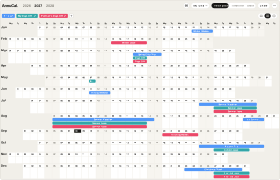
Vacation & Time-Off Planner
FreeTrips, your days off and your partner’s on one screen - see in January where the year lines up.
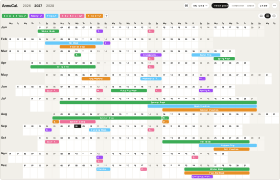
Family Year Planner
ProSchool breaks, trips, the kids’ seasons and your days off - plus the garden and the club fair as projects.
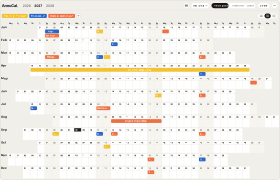
Year Goal Planner
FreeHealth, money and learning goals on the days they are due - with a check-in every quarter.
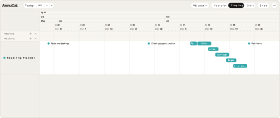
Road Trip Planner
ProSix weeks of preparation, then five stops overlapping on changeover days - the whole trip as one project.
How it works
From template to your year in three steps
A blank year is the hardest part of planning. Starting from a proven structure - and adjusting it - is faster and easier than building from scratch. Pick the closest template, make it yours, and keep planning.
-
Step 1
Try it in the demo
Open any template in the demo and look around - no account needed.
-
Step 2
Add it to your account
Sign up and the template is yours. Every account starts with 30 days of Pro, so Pro templates work from day one.
-
Step 3
Make it your own
Rename, recolour, move, add and remove - everything stays editable.
What is a year planning template?
A year planning template is a ready-made yearly plan with a proven structure already in place. You add it to your account and customize it to your own year - so you start from a draft instead of a blank calendar.
Are the templates free?
Templates marked Free are free to add and use. Templates marked Pro are part of Pro - every new account starts with 30 days of Pro, so you can open and use them right away.
Can I customize a template after adding it?
Yes. Once a template is in your account, everything is editable - rename, recolor, move, add, and remove freely.
Do I need an account to use a template?
You can try any template in the demo without an account. To add and customize one, you sign in to AnnuCal.
How do I use a template?
Try it in the demo, add it to your account, then adjust the events, colors, and calendars to match your year.
Nothing fits exactly?
Every template is only a starting point. Open it in the demo, change what you like - or start from a blank year and build your own structure.